Rowing-Machine Spec-Sheet Terms Explained
Evidence ExplainerQuick picks
Concept2 RowErg
★ Top pick Air-resistance rower with PM5 monitor- Listing focus: Match its in-use and storage dimensions to the room plan
- Monitor check: Read the PM5 fields and setup details in the maker documentation
- The current listing names the PM5 monitor and adjustable air resistance
- A product title alone cannot settle the room footprint or stored arrangement
Sunny Health & Fitness Smart Magnetic Rower
Dual-rail magnetic rower listing- Listing focus: Compare the listed rail, footprint, storage, and monitor details
- Resistance check: Keep its magnetic-resistance description tied to this named model
- The current listing identifies a dual-rail magnetic-rower format
- Room measurements and monitor fields still need a listing-level check
If a rowing-machine listing seems to answer everything except whether the machine will fit, separate the labels before you compare models. Start with the in-use footprint, then read rail or slide information, storage dimensions, resistance type, monitor fields, and stated user limits as different lines.
Mark the machine’s working rectangle
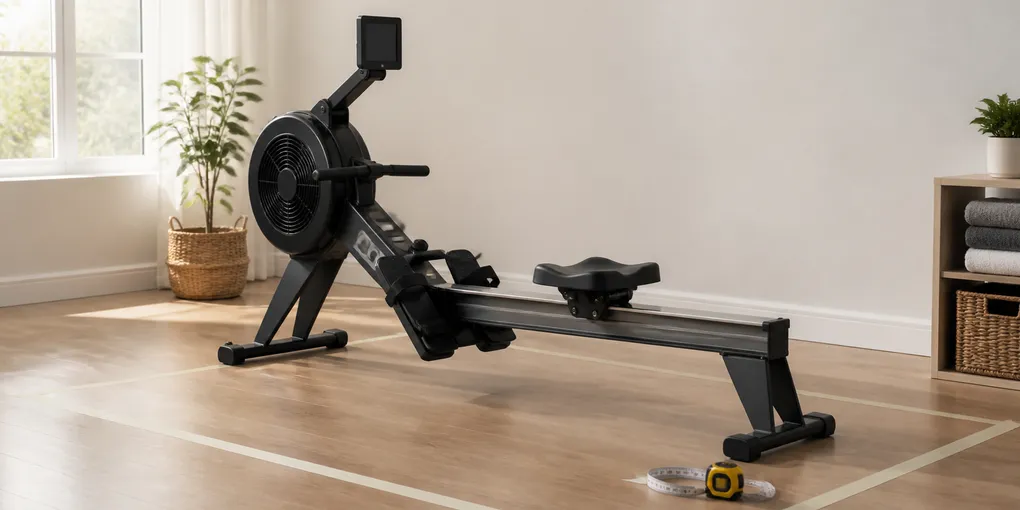
The first number to find is the overall length and width while the rower is ready to use. That is the rectangle that occupies the floor, not the narrow silhouette in a product photo. Put that rectangle on a quick room sketch, then add the route to the door, closet, bench, or other equipment that needs to remain clear.
Do this before looking at a folded position. A folded or separated rower may take less room after a session while the in-use length stays the same. Concept2’s RowErg page, for example, describes storage as two separated pieces; record that arrangement beside the working outline.
Use the listing’s largest published dimensions for each of these checks:
| Spec-sheet line | What it answers | What it does not answer |
|---|---|---|
| Overall length and width | The floor rectangle to reserve while rowing | Whether the rower can be stored elsewhere |
| Height | Clearance beside shelves, windows, or a low ceiling feature | The seat-travel distance |
| Folded or stored dimensions | The space needed after use | The floor space needed during use |
| Product weight | The listed object weight | Whether there is room to use it |
Read rail language as seat travel, not room size
Rail, monorail, slide, and inseam guidance concern the moving seat and the person using it. Keep that information beside the overall footprint. A product description may omit the measurement you need.
Look for a maker’s stated fit guidance, rail information, or a manual that names the model. Then keep two notes: one for total dimensions and one for seat travel. If a field is absent, leave it blank rather than borrowing it from a similarly shaped machine.
Treat storage as a second measurement
“Folds,” “upright storage,” and “separates” describe different arrangements. One model may fold on a hinge, another may stand in a named storage position, and another may come apart. The product page or manual should name the arrangement.
Measure the storage location as carefully as the workout location. Check its height, depth, and the path needed to move the machine there. A tall stored object may conflict with a shelf; a separated machine still needs two places to rest. The question is whether the stated stored arrangement fits the space you have after the session.
Decode the resistance label
Air, magnetic, water, and electromagnetic describe the mechanism that creates resistance. Sunny Health & Fitness groups rowers by several resistance types on its rowing-machine collection, so the category label is only one line in a model record.
When you compare two listings, record the resistance type as the maker states it. Then look for the model-specific details that change your setup: adjustable settings, a powered system, a flywheel, a tank, or another mechanism. Keep each feature with the model that names it.
Make the monitor fields do a small job
A monitor’s screen can show many words without giving you the one field you plan to use. Product material may name distance, time, pace, stroke rate, power, intervals, heart-rate connection, device compatibility, or classes. Those are separate features, and their presence varies by model and configuration.
Make a short list before opening product pages:
- Which reading do you expect to check during a session?
- Does that model’s documentation name the field?
- Does the monitor require a device, app, cable, or subscription for the view you expect?
Concept2 describes the Performance Monitor as part of the RowErg system, while other rowing-machine listings use different monitor arrangements. Keep the screen label tied to the named model.
Put stated user limits in their own column
Listings may state a maximum user weight, height range, inseam range, or no fit limit at all. Copy the wording and unit. A stated maximum belongs in the listing column; room clearance and seat travel need their own checks.
The same rule applies to capacity language on any home equipment. If the maker gives a user limit but no rail or room measurement, keep those empty cells visible when you compare listings.
A one-page comparison note
Use this record for every rowing machine you are considering:
| Copy from the model listing | Add from your room |
|---|---|
| In-use length, width, and height | Clear floor rectangle and walking path |
| Rail, slide, inseam, or stated fit guidance | Your body or setup measurement |
| Folded, upright, or separated storage arrangement | Storage location and moving path |
| Resistance type and named adjustments | Where the machine will operate |
| Named monitor fields and any device requirement | The display information you actually want |
| Stated user limits | Questions still unanswered by the listing |
The note separates a published fact from an assumption. A blank cell tells you to revisit the model page instead of treating a photo, a related product, or a general category description as a specification.
Current rower listings to inspect
The current Article evidence records availability for the Concept2 RowErg and Sunny Health & Fitness Smart Magnetic Rower named below. Use their pages to fill the fields in your comparison note.
Concept2 RowErg
Use the current Concept2 RowErg listing to match the PM5 monitor and air-resistance wording to the maker’s product documentation. Start with the full in-use and storage spaces.
Check the current Concept2 RowErg listing on Amazon.
Sunny Health & Fitness Smart Magnetic Rower
Use the current Sunny Health & Fitness Smart Magnetic Rower listing when a dual-rail, magnetic-resistance rower is the model you want to investigate. Read its rail, footprint, storage, and monitor details against the questions you wrote down.
Check the current Sunny Health & Fitness Smart Magnetic Rower listing on Amazon.
Evidence boundary
This documentation-led guide uses maker pages and a fresh availability record. It does not test a rowing machine or measure a particular room. Dimensions, included parts, monitor functions, and seller terms can change, so recheck the model page before buying.
Frequently asked questions
What rowing-machine measurement matters first?
Start with the full in-use length and width, then compare that rectangle with the clear floor space and walking path in the room. A storage measurement answers a separate question.
Is rail length the same as total rower length?
No. Total length describes the machine’s overall footprint. Rail or slide information describes the seat-travel area and should be read with the maker’s fit guidance for that model.
Do magnetic and air resistance labels describe the same thing?
No. They name different resistance systems. Read the label as a design detail, then compare the exact model’s documentation for the information that matters to your room and intended setup.