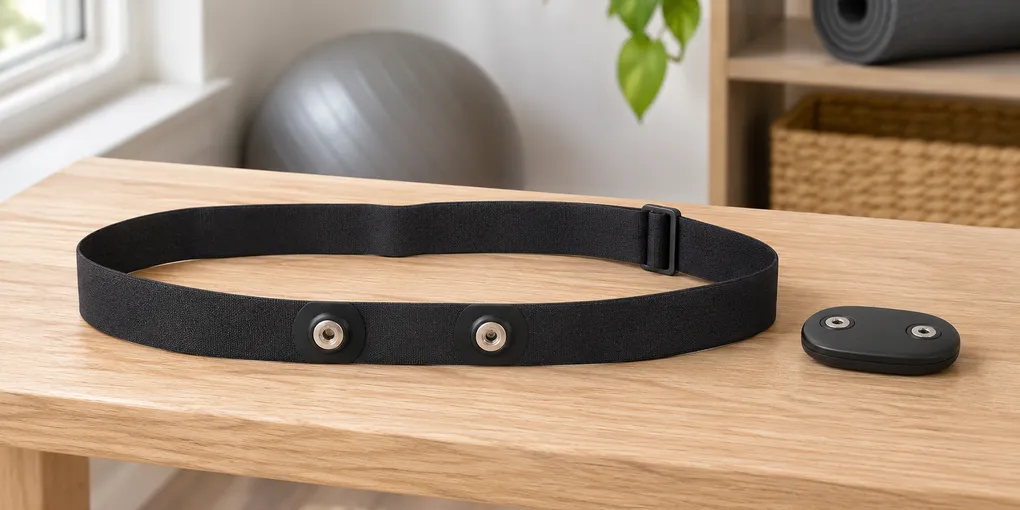
Store a Heart-Rate Strap Flat or With the Connector Separated?
Evidence ExplainerWhen a heart-rate strap comes off after a session, the easy move is to drop the whole unit into a pocket or wind it tightly around the connector. The clearest answer is to follow the storage instruction for the model in front of you. Garmin tells readers to lay its heart-rate monitor flat for storage, while Polar’s A300 guide gives a separate storage direction for its strap and connector.
Those directions fit different designs. Make a flat spot for the strap when the manual calls for flat storage. Give a removable connector its own spot when the manual names separation.
Start with the storage line in your own manual
Search the support page or manual for the model name on the sensor or its packaging, then look for a heading such as care, maintenance, or storage. Look for a short direction that names the position or parts to put away.
Garmin’s heart-rate-monitor storage guidance says to lay the monitor flat. Let the band sit in a loose, open shape on a shelf, drawer, or bench. Its flat arrangement is the detail to carry into your own storage routine.
Polar’s A300 guidance takes another route: it links a separated strap-and-connector arrangement with the heart-rate sensor’s battery lifetime. For a monitor with that instruction, the connector and strap need two small places in a tray or drawer.
Use the parts you actually have
Before choosing a storage spot, look at the monitor in front of you. Some straps include a removable connector, while others stay assembled. Match the storage arrangement to the parts your manual describes.
Use this short check:
| What you see | What to look up | Storage decision |
|---|---|---|
| A strap and a removable connector | The model’s care or storage section | Follow its direction on keeping the parts together or apart |
| A strap that stays assembled | The exact model’s storage wording | Follow the arrangement it names; do not force a separation step |
| A manual that says to lay the monitor flat | Its storage instruction | Leave the strap open and flat in its storage spot |
This keeps the decision tied to the parts and wording you own. A removable connector is simply a cue to check the manual before choosing its place in the drawer.
Read the storage sentence before you reorganize the whole shelf. Then make a tiny record with three fields: the model name, the arrangement named in its manual, and the place where you will keep it. For example, the record might say “living-room monitor — flat in top drawer” or “garage monitor — connector beside strap in blue tray.” The note is a memory aid, not a replacement for the manual. Its job is to keep a household’s straps from becoming anonymous black bands once they are put away, especially after a busy week of use.
Set up a flat landing spot
A shallow drawer, shelf, or tray can give a flat-storing strap an obvious home. Choose a spot wide enough that the band can rest in a loose oval or gentle curve. Keep that space clear enough for the band to lie open beside the rest of your gear.
A flat spot turns the manual’s instruction into a repeatable habit. When the strap has a clear landing place, putting it away takes the same motion each time you finish using it.
For a model whose instructions call for a separated connector, use the same landing spot with a small second space beside the strap. A divided tray, shallow dish, or two corners of one drawer can keep the parts together as a set while they remain apart.
Keep the instruction with the storage spot
Save the support-page link or manual title with the place where you put the monitor away. A note in the drawer, a saved browser bookmark, or the manual stored nearby is enough. That leaves the model’s storage line close at hand when you need it again.
This matters when more than one monitor is kept in the same household. Two similar-looking straps can use different connectors and care directions. Label the storage place with the model name, then add one small note such as “flat in tray” or “connector beside strap.” A future you can open the drawer and see the intended arrangement before the routine fades from memory.
Evidence boundary
These source pages cover storage for two named examples. The manual for your own model decides its arrangement. Cleaning, repair, charging, and heart-rate use sit outside this storage question.
Frequently asked questions
Should I always separate a heart-rate strap and connector for storage?
No. Follow the instruction for your own model. Polar’s A300 guidance tells users to store the strap and connector separately, while Garmin’s monitor-storage guidance says to lay the monitor flat.
Why does one heart-rate monitor manual say to store the connector separately?
Polar’s A300 manual says to dry and store the strap and connector separately to maximize the sensor battery lifetime. That is model-specific guidance, not a rule to apply to every monitor.
What should I check before putting a heart-rate strap away?
Find the care or storage section for the exact monitor you own. Check whether it calls for a flat strap, a separated connector, or a different arrangement.